QEMU guests
QEMU marks guest RAM mergeable. The Linux host needs KSM support and a running scanner. Actual savings vary with the guest images and activity.
Start with the images you run. Repeated nodes can share identical memory pages; the result depends on the workload, host and runtime configuration.
A fourteen-pod fat tree: 49 core, 98 aggregation and 98 edge switches, plus 686 hosts and 2,058 links. Every switch runs FRR with BGP EVPN; hosts share a VXLAN segment.
This is the existing capacity run. The 18 GB figure is the reported host usage at the time of the audit. Peak startup memory, a matched containerlab baseline and an equivalent workload using vendor NOS images have not been published. Use this result to understand the tested workload; size your own lab from its actual images.
Full run and known scaling limits →
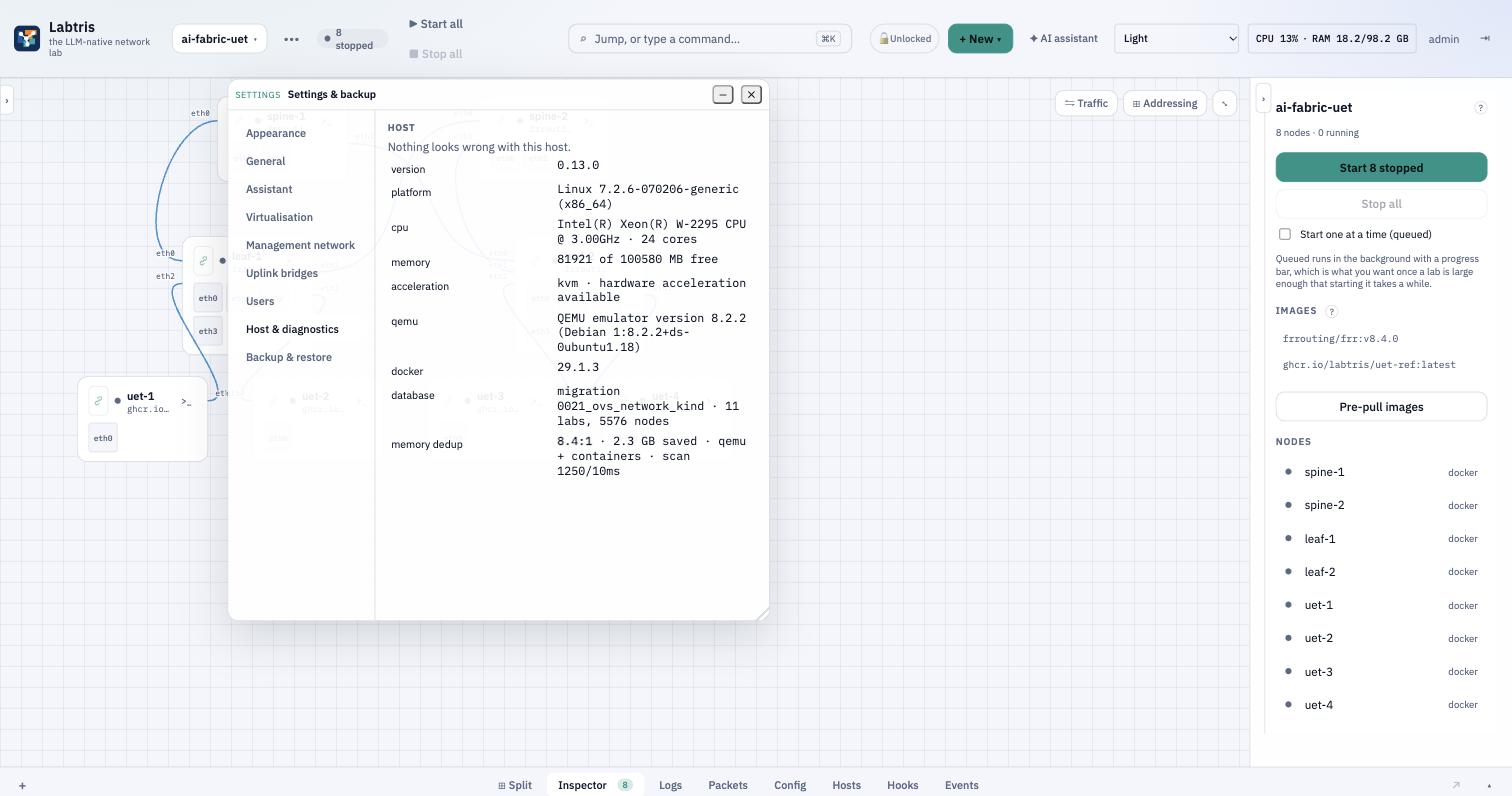
Kernel Samepage Merging scans eligible anonymous pages and merges identical copies. Labtris configures the scan and exposes the saved memory in diagnostics.
QEMU marks guest RAM mergeable. The Linux host needs KSM support and a running scanner. Actual savings vary with the guest images and activity.
The installer sets MemoryKSM=yes on containerd and Docker when Linux is 6.4+ and systemd is 254+. Restarted runtime processes must inherit the setting; existing processes need separate verification.
Compose alone does not configure the host scanner or opt its runtimes in. Verify KSM on the Linux host and the processes that launch nodes before expecting container savings.
KSM is available to a containerlab host too. Labtris packages configuration and diagnostics; a tuned-host comparison is needed to isolate the platform overhead. More aggressive scanning uses CPU, and changing pages can reduce savings. Watch boot-time peaks as well as settled RAM.
A matched comparison is pending. These are the three configurations to measure before claiming a reduction versus containerlab.
Document the host defaults. Record KSM state and actual pages saved.
Use the same scanner settings and runtime opt-in as the Labtris run.
Include the API, database, browser services and runtime in host memory.
Download the Python 3 sampler and run it on the Linux host before starting the lab. It records host memory, KSM counters and scanner CPU ticks as JSON lines. It changes no settings and contains no workload or convergence checks. For a VM host, measure the outer hypervisor separately.
python3 memory-sample.py --label containerlab-default --seconds 300 > containerlab-default.jsonlUse a distinct label and file for each run. Linux page and memory counters describe different scopes: KSM saved bytes are not a percentage reduction in total RAM.