A network emulator for Ultra Ethernet and AI fabrics.
Containers and KVM guests on the same Linux bridges and veth pairs you’d use in production. The Ultra Ethernet, RDMA and P4 node images are bundled in, and five fabric labs are on the canvas the first time you open it.
- Real RDMA verbs.
ib_send_bwbetween two nodes over soft-RoCE, no ConnectX needed. Linux 7.1+ on the host. - Priority queueing you can break. Eight classes with per-class ECN. Flood one, watch the other survive.
- P4 you swap without rebuilding the lab. ECMP, ECN marking, UEC packet trimming. Restart the one node; the topology stays up.
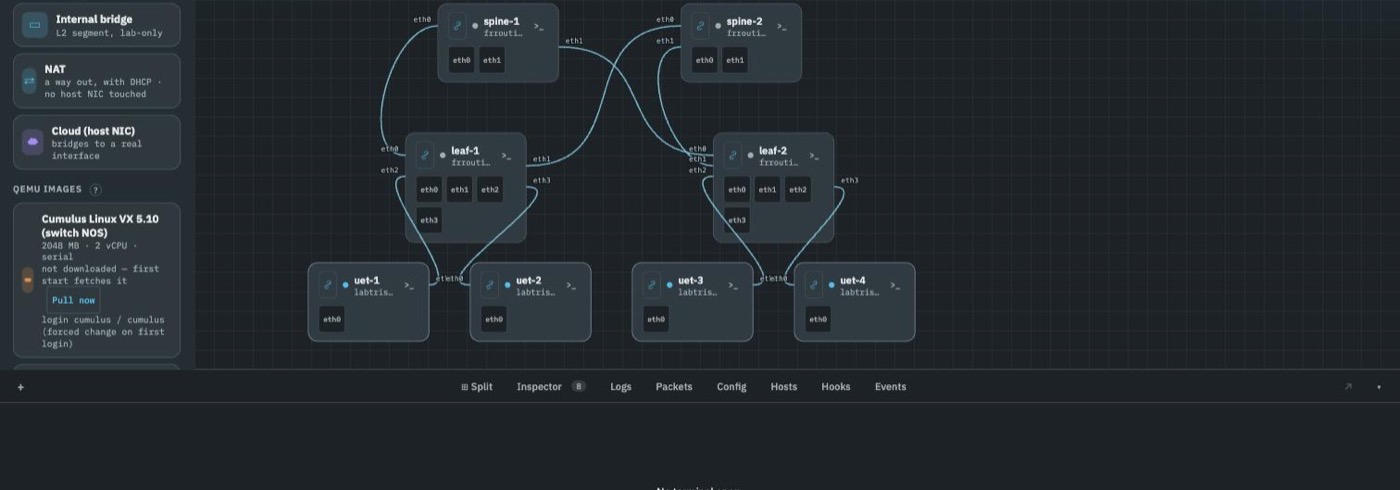
- Ultra Ethernet on the wire. The UEC’s own reference provider, on IP protocol 253. Wireshark decodes SES, PDS and TSS.
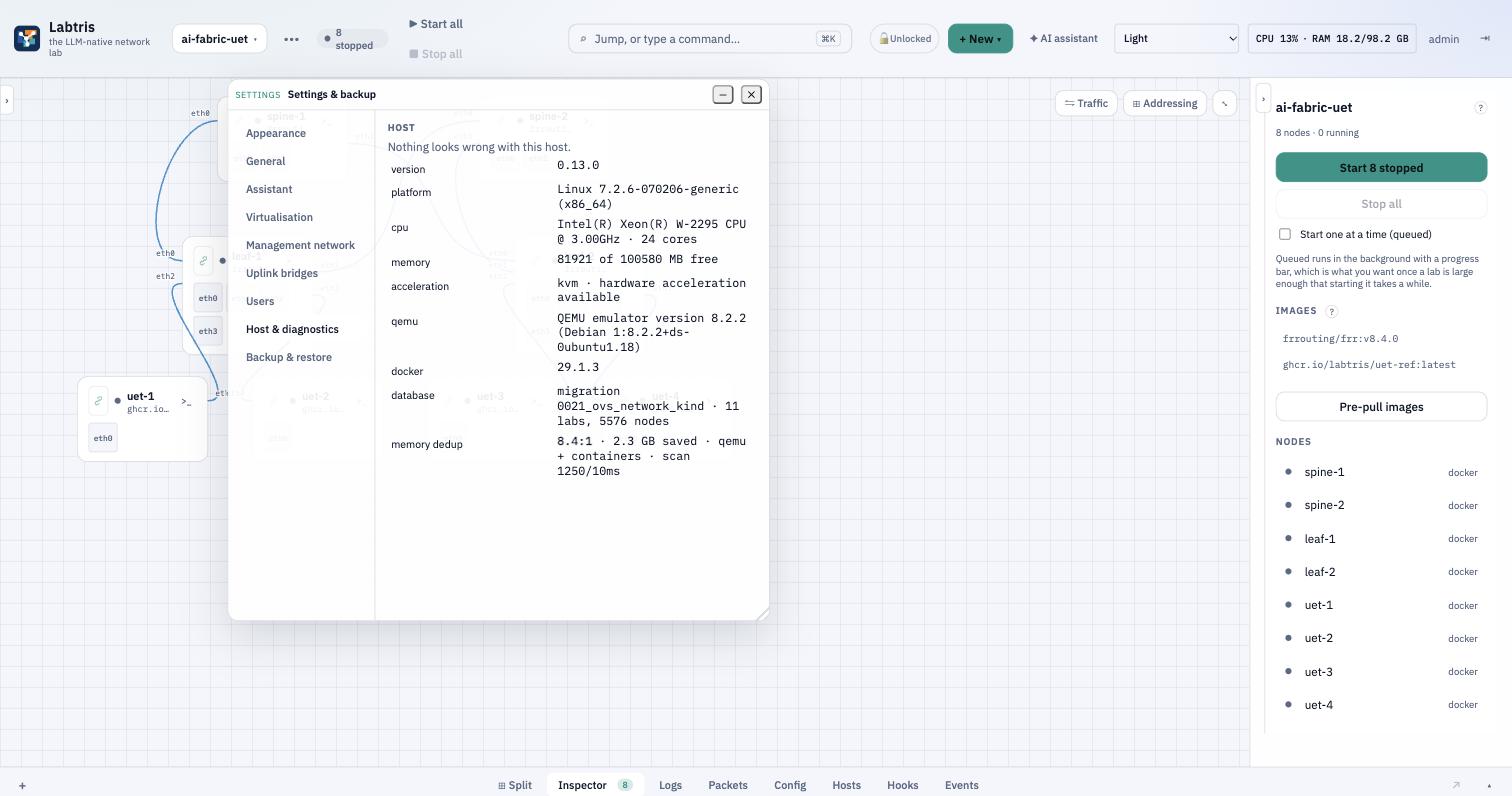
- Memory deduplication, tuned on by default. For VM and container nodes alike. 931 nodes on one box, in 18 GB.
- An in-browser LLM chat, and the same 46 tools over MCP. It execs into nodes, reads logs and captures packets on the running lab — from the browser, or from your own editor.
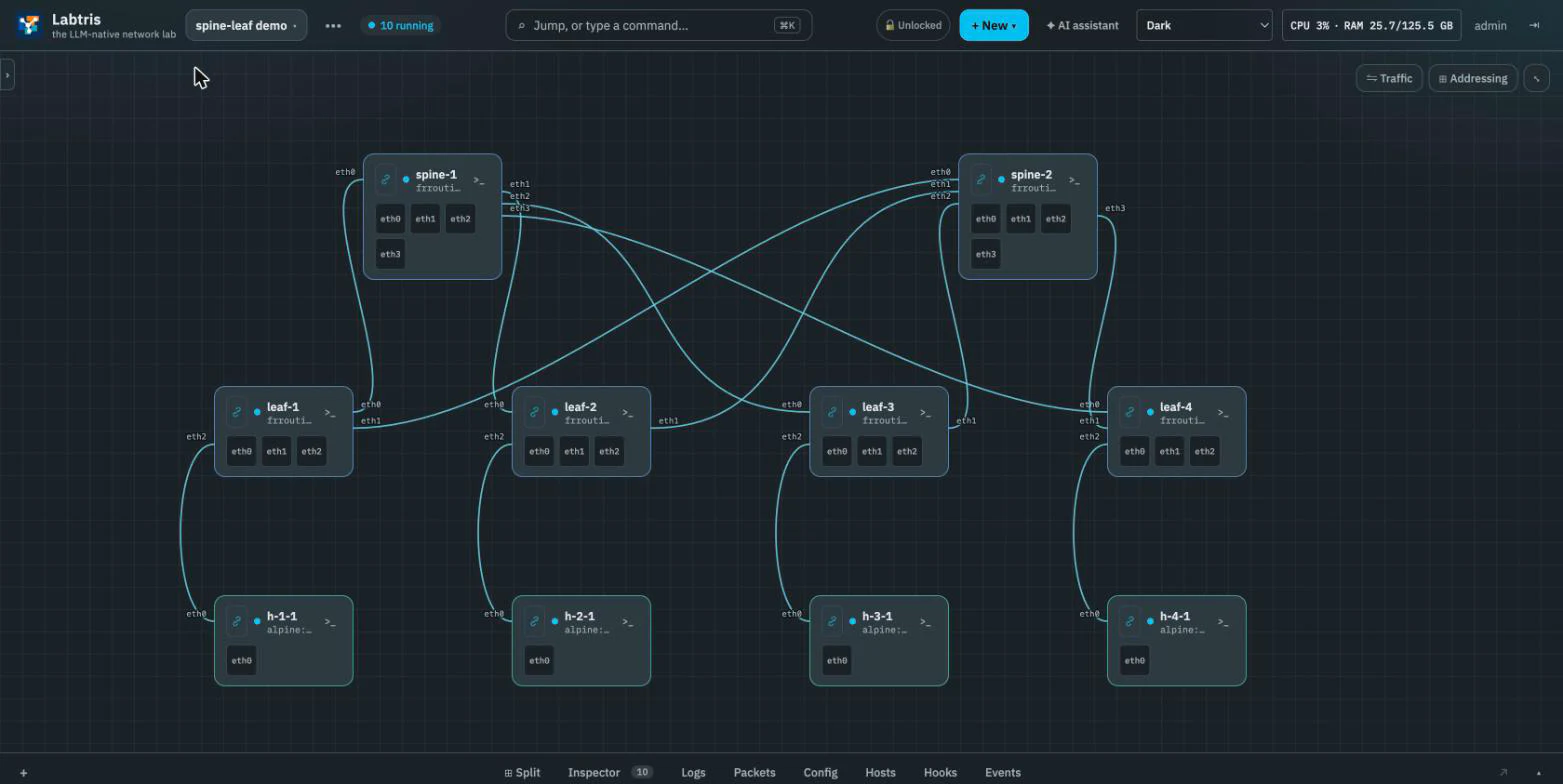
A screenshot of a running lab, output from one, or the source that ships in the repo. Nothing here is a mockup.
$ rdma link add rxe0 type rxe netdev eth0; ibv_devinfohca_id: rxe0 state: PORT_ACTIVE (4)link_layer: Ethernet$ ss -lun | grep 4791 # the per-netns socketUNCONN 0 0 0.0.0.0:4791 0.0.0.0:*$ ib_send_bw -d rxe0 -x 1 -s 65536 -n 1000 <peer>local QPN 0x0014 remote QPN 0x0013#bytes #iter BW peak[MB/s] BW average[MB/s]65536 1000 814.91 713.85# soft-RoCE on a veth. No ConnectX. Kernel 7.2 —# on 6.8 this connects and moves nothing.
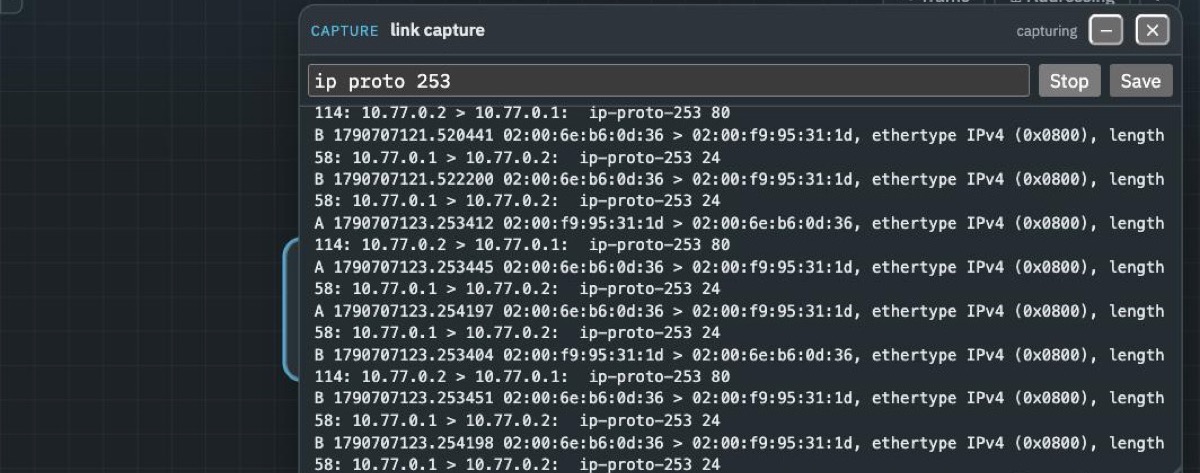
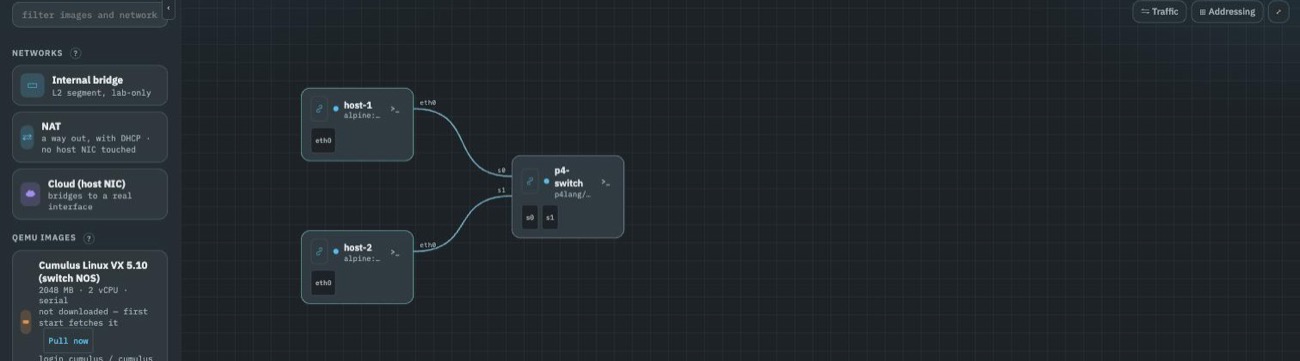
$ ps aux | grep simple_switchsimple_switch --log-console prog.json -i 0@s0 -i 1@s1$ echo show_tables | simple_switch_CLIMyIngress.dmac [mk=ethernet.dstAddr(exact, 48)]$ echo show_actions | simple_switch_CLIMyIngress.flood []MyIngress.forward [port(9)]# a match table with a 48-bit exact key, and the actions# trim.p4 defines. A bridge cannot produce this.
$ tc qdisc show dev vclasseth0-33hkqdisc tbf 1: root rate 100Mbit burst 16000b lat 249msqdisc prio 2: parent 1: bands 8priomap 0 1 2 3 4 5 6 7 0 0 0 0 0 0 0 0qdisc red 21: parent 2:1 limit 600000b min 50000b max 150000b ecnqdisc red 22: parent 2:2 limit 600000b min 50000b max 150000b ecnqdisc red 23: parent 2:3 …… one RED with ecn under each of the eight bands# flood one class, the others keep forwarding.# 802.1Qbb PAUSE emission is not implemented, so this# is isolation and ECN marking, not a lossless fabric.
Already on containerlab? Deploy the way you do now — the lab shows up here by itself.
# on a fresh Ubuntu 24.04 or 26.04 host, with the token from your invitation
curl -fsSL https://labtris.com/install | sudo LABTRIS_TOKEN=github_pat_… bashOr one compose file on any distribution. Idempotent — re-run to upgrade. No token yet? Request access.
46 tools, your permissions.
Every operation the canvas can do is an MCP tool, and there is a chat pane in the browser. Ask for a Clos with four spines and eight leaves and it creates the nodes, links them and configures OSPF. Ask why leaf-3 cannot reach leaf-1 and it reads interfaces, routing tables and logs before answering.
- Any provider. OpenAI-compatible endpoint: Anthropic, OpenAI, Groq, or Ollama on your own machine.
- Or your own client. Claude Code, Cursor, or anything that speaks MCP, against the same tools.
- Your key stays in the browser. It talks to your provider directly; the server never holds it.
- Runs as you. Tool calls carry the signed-in user’s permissions, and the audit log records which were the assistant’s.
Knowledge and evals
Not startedTools say what the assistant can do, not what it knows or whether an answer was right. Two pieces are planned for that; neither exists yet.
A vector store over RFCs, vendor configuration guides and your own labs — the configs that converged, the captures, the topologies — so “how did I get EVPN up last month” is answerable.
An eval harness. Break a topology, hand it to an agent, and check the answer by running it: did the ping succeed, did BGP converge, is the route in the table.
core (49)   peers 14   RIB 225   routes 113
agg  (98)   peers 14   RIB 237   routes 119
edge (98)   peers  7   RIB 477   routes 239   VTEPs 91

931/931 running          zero failures
686/686 hosts            reach a host in another pod
182/182 pod pairs        0% packet loss
18 GB of 100 GB          ~16-20 MB a node
Every one of the 245 switches reported the same figures. The audit takes 69 seconds for all 931.
An app sits on three things it did not write.
A network, a cloud control plane, and somebody else’s API. Labtris emulates them on hardware you own, so the whole stack can be stood up, broken on purpose and thrown away. Two of the three exist today.
Network Emulator
Containers and KVM guests on Linux bridges, taps and veths. FRR, BGP EVPN, P4, generated fabrics.
Cloud Emulator
The AWS API on the same box — 148 services registered, 24 round-tripped against a real backend. Your agent can run the suite against them all day: no bill, no rate limits, nothing that reaches production. Azure, GCP and OCI are planned.
App Emulator
The SaaS an app calls but cannot run. No code yet, and no date — it is here because the registry already has the shape.
Generate the shape a GPU cluster is wired in.
One command generates spine-leaf, rail-optimised, fat-tree, front-end or scale-across, with FRR configured on every switch. Sixty to eighty nodes take about a second. They are ordinary nodes and links afterwards; edit them like any other.
# into a lab you already made — 4 rails, 8 hosts each
labtris lab generate $LAB --pattern rail-optimised \
  --rails 4 --hosts-per-rail 8 \
--spine-kind frr --host-kind frr --with-bgp-evpn- P4 you can actually run. bmv2 switches take a program per node. Four ship with Labtris: ECMP over a five-tuple hash, ECN marking above a queue threshold, UEC-style packet trimming, and a plain L2/L3 switch. Swap one in with a single command and the dataplane changes under a running lab.
- Congestion you can measure. A RED qdisc marks CE while the queue average sits inside a band, which is the signal DCTCP and DCQCN are actually looking for. Per-priority queueing isolates classes the way PFC does.
- Keep using containerlab. Run
containerlab deployon the instance and the lab appears on the canvas by itself — no import step, no wrapper command. Or paste a.clab.ymlin. The three generated fabrics also ship as pods with BGP already populated, a couple of KB each.
Upgrade in one command, with a backup taken first.
Goes to the latest release rather than tracking main, dumps the database before it migrates anything, and tells you whether the result is serving. Labs, pods, images and the database carry across.
# on a host already running Labtris
curl -fsSL https://labtris.com/upgrade | sudo bash--checksays what it would do and changes nothing.- It prints the rollback if a step fails, rather than leaving you to work it out.
- Coming from EVE-NG instead? One command brings the labs and the QEMU images across — the order of operations is here.
931 nodes on one box. 18 GB of memory.
A fourteen-pod fat tree — 49 core, 98 aggregation, 98 edge and 686 hosts, 2,058 links — generated in 26 seconds and started clean. Every switch running FRR with BGP EVPN; every host in one VXLAN segment. All 182 ordered pod pairs ping at 0% loss.
- Nodes on one host
- 931
- 49 core, 98 aggregation, 98 edge, 686 hosts. Every switch running FRR with bgpd.
- Memory
- 18 GB
- Of 100 GB. Around 16–20 MB per node, falling as more identical nodes start.
- Links
- 2,058
- Generated in 26 seconds, database rows and wires and all.
- Cross-pod reachability
- 182 / 182
- Every ordered pod pair, 0% packet loss, over the VXLAN overlay.
Memory deduplication, and what it is actually worth
Identical nodes share identical pages. Kernel Samepage Merging is off on a stock Ubuntu and tuned far too gently when it is on, so Labtris enables it and scans 25× harder — 1,250 pages every 10 ms rather than 100 every 20.
It covers both kinds of node. KSM only merges memory a process has marked mergeable: QEMU does that for guest RAM, and nothing does it for a container, so a container host can report KSM “on” while merging nothing at all. Labtris opts the container runtime in as well, and the diagnostics panel tells you which kinds are covered rather than just saying “on”.
On the 931-node fabric that is the difference between a box you can use and one you cannot: dedup rose with every identical FRR node started, and the ratio climbs as the lab grows.
A lab for AI fabrics, Ultra Ethernet and SONiC.
I built it for my own work on those three, and for contributing to the UE stack. Ask an LLM why a RoCE transfer stalls and you get something plausible; I wanted answers that come from the capture, the counters and the qdisc state of a run that actually happened. So the lab keeps those.
MIT, by invitation while it is in beta. Your labs stay on your host.
What is in it.
Wire nodes on a canvas, boot them, console in, capture packets, impair a link. All from the browser, over Linux bridges and veths.
MCP-native assistant
46 tools over MCP, or the REST API they wrap. Calls run as the signed-in user.
Wireshark in the browser
Capture any interface with a BPF filter and dissect it in the browser, or open the pcap in Wireshark.
A lab as one portable file
Snapshot a running lab, VM memory and container filesystems included, and resume it on another host.
Density
KSM tuned for lab VMs. 8.5:1 page dedup measured on a real host; 931 nodes in 18 GB.
netem per direction
Delay, jitter, loss, reorder and rate, set separately for each direction of a link.
Traffic on the wires
Each link is labelled with its live rate from the kernel's counters. Idle links are left unlabelled.
Containers and VMs
Docker containers and QEMU VMs on veth pairs and Linux bridges, the same forwarding path as production. Configs transfer.
Canvas
Drag a node; drag port to port for a link. Links are objects, which is what per-direction impairment attaches to.
Consoles
QEMU serial, container PTY, VNC and RDP via Guacamole. Copy, paste, resize.
Networks
Bridges, NAT with DHCP and reservations, cloud onto a host NIC, VXLAN between hosts, VLAN-aware bridges.
Readiness hooks
YAML per lab: a console regex, an exit code, a ping, an HTTP status. Run after boot; results kept.
Bring your own images
QEMU images are yours; nothing vendor-licensed is redistributed. The catalogue records each image's source.
Import your topology, keep your images.
Labtris imports the formats you already have and runs the same vendor images you already downloaded. Migration guides per product below.
Install.
A shell installer for Ubuntu 24.04 or 26.04, or compose anywhere Docker runs. Both need the token from an access invitation.
curl -fsSL https://labtris.com/install | sudo LABTRIS_TOKEN=github_pat_… bashcurl -fsSL https://labtris.com/compose | docker compose -f - up -dThe ISO for bare metal or an air-gapped box comes with the invitation. Already running Labtris? Upgrading is one command, and it backs the database up first.
One exception worth knowing first: the RDMA lab needs Linux 7.1+ on the host, which no distribution ships yet. The other four labs, Ultra Ethernet included, run anywhere. Why.